
5. How to create pick up locations?
5.1. General
Streamliner gives the users a view on the different locations that are used in the supply chain. This information can be used to quickly validate addresses to deliver, to pass your pick-up location to a carrier and to validate the time zones of the users/locations. On a longer term, you can use this information to visualize the different transportation flows that are in use, even with the volumes between the different locations to optimize your flows.
We strongly advise to add the different locations in your own supply chain that are involved in your relationship as supplier with the purchase company. Or if you plan to assign your transport (or a part of it) to an LSP, Streamliner needs to know the different pick-up locations that you are using.
5.2. Supply Chain.
In the menu option ‘Supply Chain’ you can add the location(s).
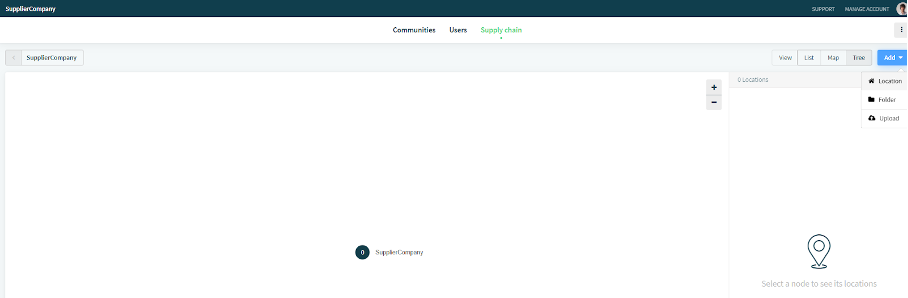
You can make this as complex as you want, but start simple if possible. Just add your location to the root folder, if you have only 1 or 2 locations that need to be shared as pick-up location with a type ‘Factory’ or ‘Distribution Center’
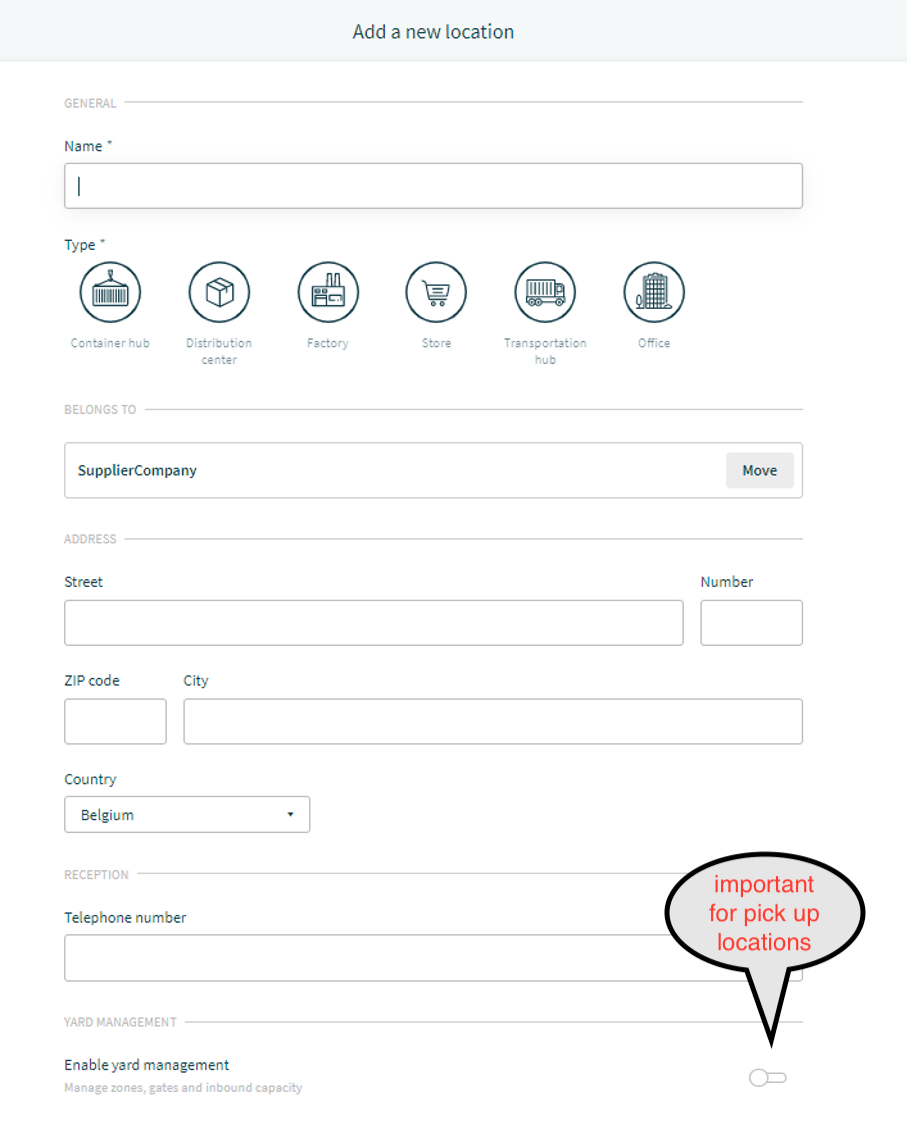
Every location has a name, a type, an address that has to be found by google maps, a telephone number and a switch to indicate if Yard management will be active Yes or No.
Enabling Yard management, enables the functionality to assign pick-up locations when you pass transport orders to a carrier. You can not assign a transport order to a carrier or to an internal logistics department if there’s no pick-up location defined.

if you need pick up locations the switch has to be set to on. other settings like ERP preference time slot, time windows, days open en opening hours are not important for pick up location.
Comments
0 comments
Please sign in to leave a comment.