
A Supplier needs to make arrangements with the Receiver about when the delivery of a validated Order will take place.
If the booking of the validated Order does not take place within the agreed timeframe, notifications can be sent to the Supplier and LSP after 'x' amount of days as a warning that delivery of the Order will not be punctual.
Step 1: Go to Community page
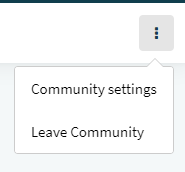
Once you selected the Community, click on the three dots icon in the top right corner. From the drop-down menu, select 'Community settings'.
Step 2: Validations and approvals
On the Community settings page, scroll down to the section 'Overdue Notifications'. A white sliding marker means the overdue notifications function is disabled; a green one means it's enabled.
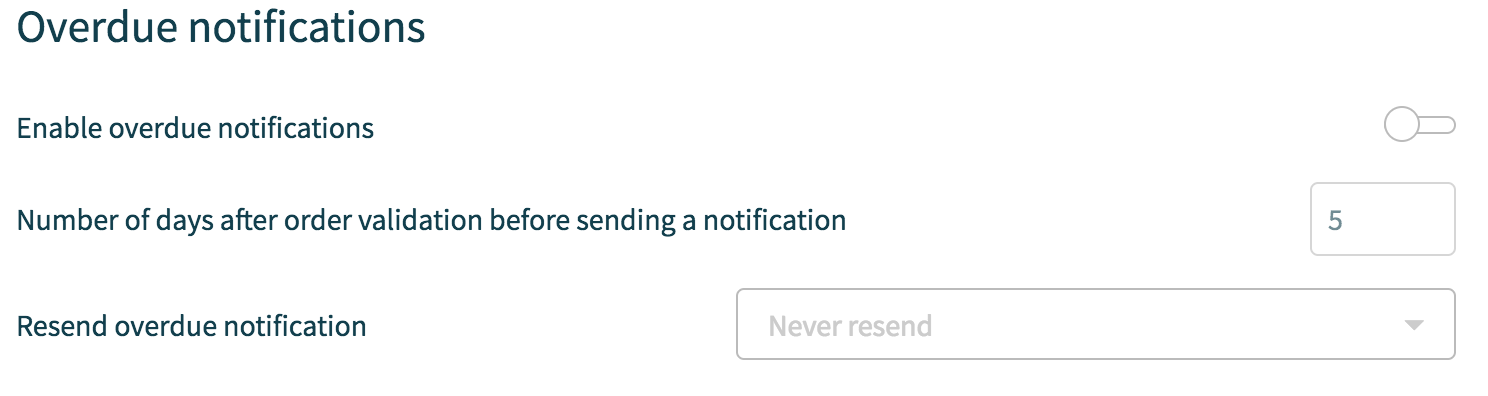
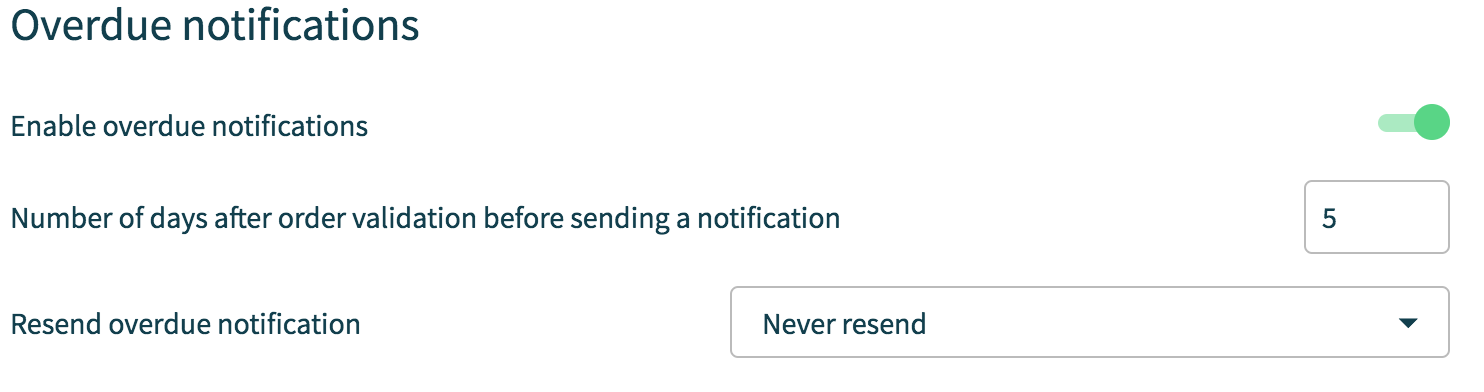
As you can see, aside from the option to enable or disable Overdue Notifications, you can also decide on the number of days after order validation that you wish to issue the e-mail to your Supplier and/or LSP, as well as whether you would like Overdue Notifications to be resent after 'x' amount of days.
A supplier receives a notification and can set filters to have all functionality at hand to improve his performance.
Comments
0 comments
Please sign in to leave a comment.