
What is capacity?
The capacity is n° of packaging units that can be handled in a time slot based on the productivity and the resources. The capacity thresholds are defined per location and per zone (link). The default thresholds are 80% for low and 120% for high.
When booking a time slot for a Shipment, the SBA will propose a certain number of time slots based on the amount of packaging units in the Shipment, the available resources and the N° of trucks that are allowed simultaneously
Where can I view the capacity of a Shipment?
The capacity of each Shipment can be seen in the Shipment overview under ‘Capacity’. It is marked with 4 icons:
 Capacity below the low threshold/80%
 Capacity between the low threshold/80% and 100%
 Capacity between 100% and the high threshold/120%
 Capacity above the high threshold/120%
You can also see the exact capacity percentage in the Shipment details:
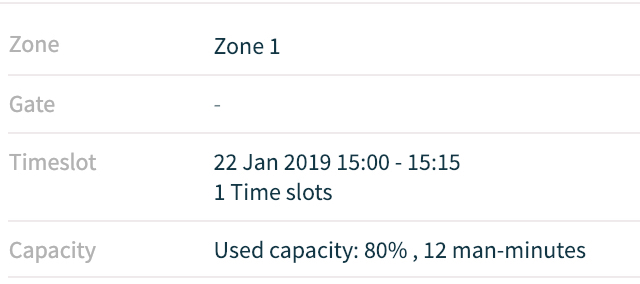
Clicking on the capacity icon will guide you to the configuration of teh zone and the overview of the overall capacity.
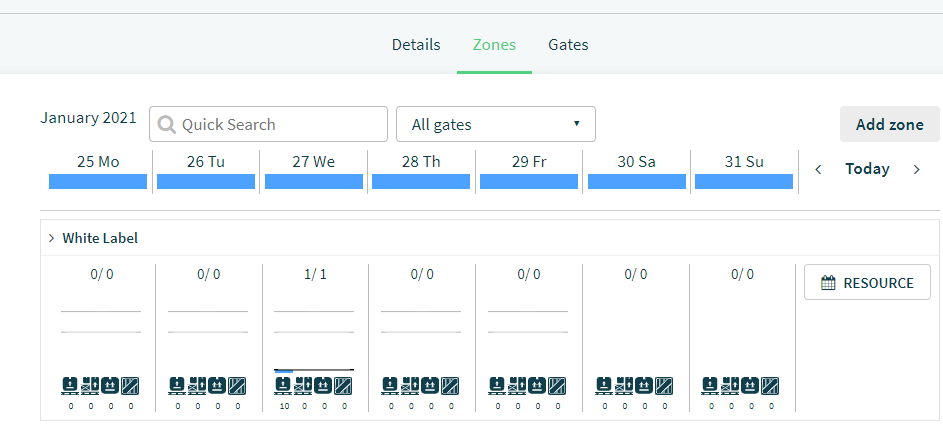
How to adjust the capacity?
It is possible to manually adjust the capacity by increasing or decreasing the number of time slots when booking a Shipment.
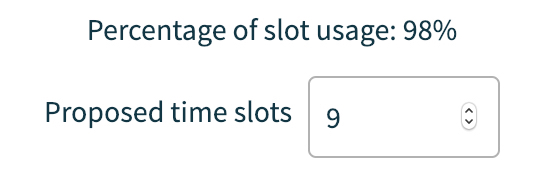
The number of packaging units that can be handled in a given time slot is based on the processing time for that unit and the turnaround time for handling a delivery.
When booking a Shipment, you can see the percentage of slot time usage for unloading and handling that Shipment. When this is above 100%, the time needed to complete this delivery is longer than the allocated slot time. You will receive a warning if this is the case.
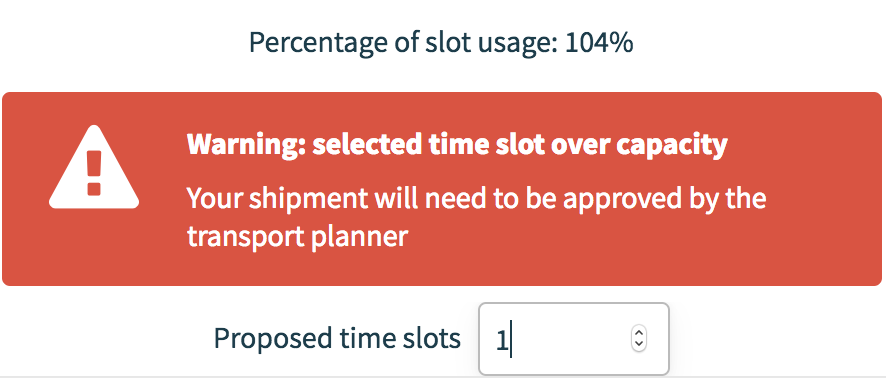
Small exceedances might be manageable but any exceedance, no matter how small, will have to be approved by the receiving party.
You can always increase the number of time slots again to avoid going over capacity.
Comments
0 comments
Please sign in to leave a comment.