
There are several possible statuses:
- Validated (Yes/No)
- Completed (Yes, Partly, Booked)
- Cancelled
- Deleted
- Priority (Normal, High)
- Overdue
You can learn how to filter your Orders in our knowledge base
Validated Order
All Orders are validated by default. When it's validated, the Supplier can start booking a Shipment.
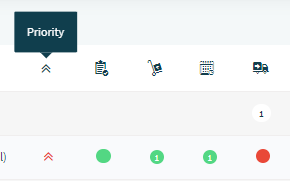
In the SBA, you can see if an Order is validated in the 'Orders' section. If the first dot is green, you are looking at a validated Order.
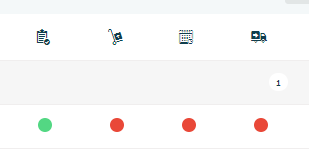
Note: an Order has to be validated before it can start the process of being delivered.
Completed Order
An Order that is completed is fully shipped (by delivering one or multiple Shipments) and can not be added to a Shipment anymore. In the SBA, you can see if an Order is completed in the 'Orders' section when all the four dots are green.
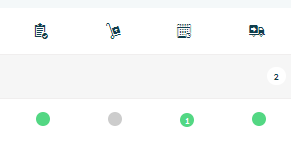
When the Supplier booked only a part of the Shipments needed to complete this Orders, the Order is partly completed.
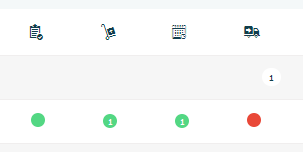
When an Order is partly completed and all Shipments needed to deliver this Order are scheduled, it is a booked Order. Booked Orders have three green dots, or 2 green and the second dot grey.
Cancelled Order
Sometimes an Order cannot be completed (for instance because the goods are out of stock) and therefore it receives a cancelled status. Cancelling the order can be performed by the Receiver and will automatically cancel linked shipments if this is the only order and remove it from other scheduled shipments.
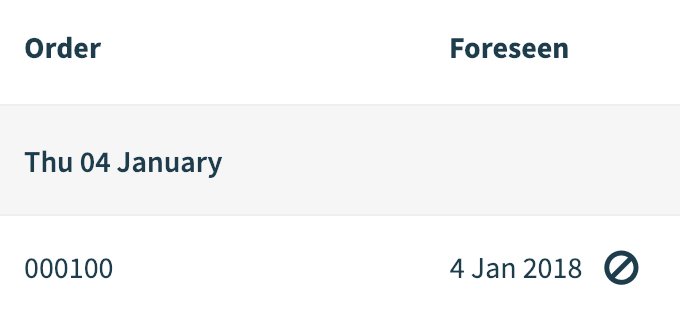
A cancelled Order is marked next to the foreseen date with a black strikethrough circle.
Learn how to cancel an Order in our knowledge center
Deleted Order
An order can be deleted if, for instance, it was created by mistake. A Receiver can perform this action only when the Order is not completed and not linked to any delivered Shipment. A deleted Order automatically deletes linked shipments if this is the only Order and removes it from other scheduled Shipments.
A deleted Order is marked next to the foreseen date with a trash bin icon.
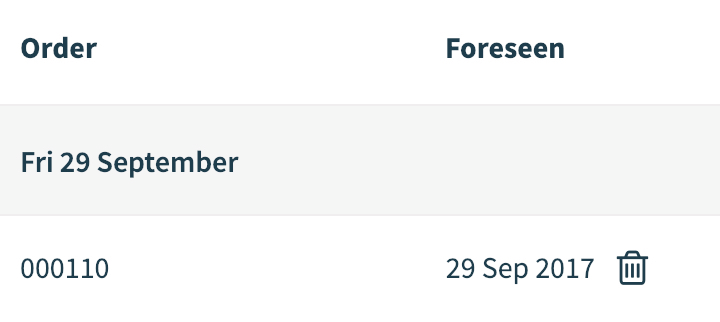
Learn how to delete an Order in our knowledge center
Priority Order
The priority of an Order can be normal or high. In the Streamliner, you can see if an Order has high priority in the 'Orders' section if there's a red, upwards pointing arrow next to the dots.
Overdue Order
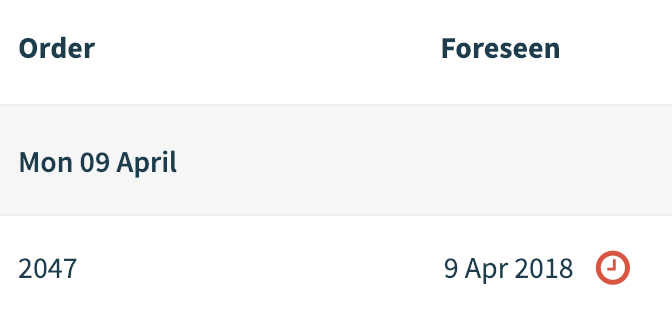
An Order is overdue when the Supplier has not created a Shipment that is validated by the Receiver within a certain amount of time after the Order has been validated. The number of days is defined by the Receiver for each Community.
An overdue Order is marked next to the foreseen date with a clock icon.
Comments
0 comments
Please sign in to leave a comment.