
There are several possible statuses:
- Validated (Proposal, Approved, Denied)
- Cancelled
- Deleted
- Handling status (None, Arrived, In, Docked, Unloaded, Out)
- No Show
- Delivered
You can learn how to filter your Shipments in the knowledge base
Priority Shipment
The priority of a Shipment can be normal or high and depends on the priority of the Order(s) that it contains. If at least one of the Orders is a high priority Order, the Shipment receives high priority, too.
Validated Shipment
All Shipments are unvalidated or validated if they respect the rules depending on the community settings. Shipments that await approval/denial are marked with a grey dot.

Shipments that are approved receive a green ‘ticked’ icon.

Shipments that are denied receive a red ‘X’ icon.

Cancelled Shipment
Sometimes a Shipment cannot be delivered and therefore it receives a cancelled status. A Shipment can be cancelled until it is fully delivered. A cancelled Order is marked next to the Shipment number with a black strikethrough circle.
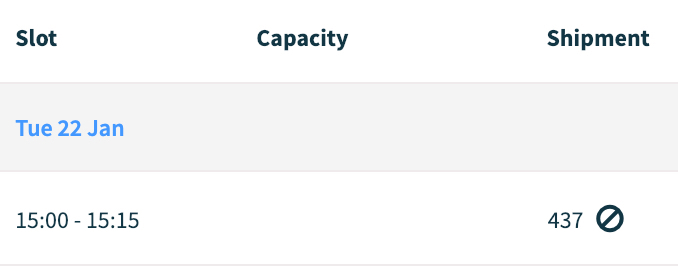
Learn in the knowledge base how to cancel a Shipment.
Deleted Shipment
A Shipment can be deleted if, for instance, it was created by mistake. A Receiver and a Supplier can perform this action until the shipment has not received the first timestamp (‘Arrived’).
A deleted Shipment is marked next to the Shipment number with a trash bin icon.
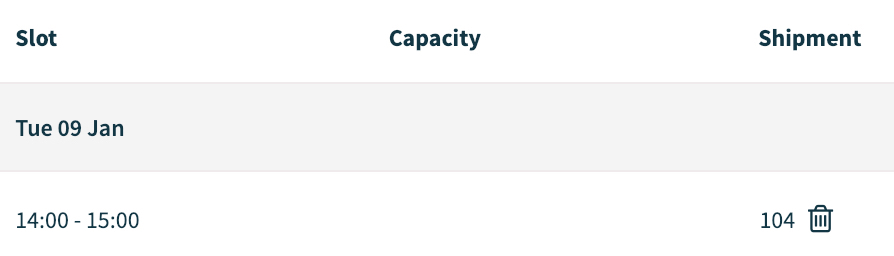
Learn in the knowledge base how to delete a Shipment.
Handling Status
Once a Shipment is approved, it can be handled with a use of 5 delivery registration points. The registration points are filled in by the Receiver and indicate the current position of the truck by setting the time and date of each step: Arrived, In, Docked, Unloaded, Out.
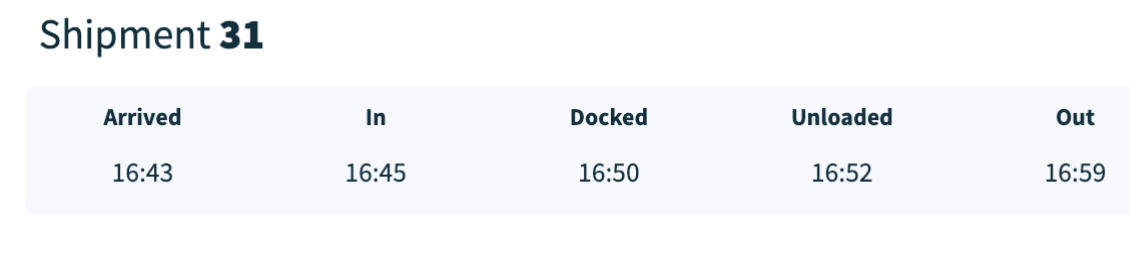
Each of the registration points also stand for the green box in the Shipment overview under ‘Status’.

Delivered Shipment
A Shipment is delivered when all 5 registration points are completed. A delivered shipment has all boxes green until ‘Status’ in the Shipment overview.
If a shipment is undelivered, it will have all or some grey boxes that are left open.

Comments
0 comments
Please sign in to leave a comment.