
1. General.
Streamliner is a B2B platform, bringing companies together to collaborate on the inbound supply chain. For more info see our website www.streamliner.cloud or consult our knowledge base on support.streamliner.cloud
A user in your company will be invited to onboard your company in a streamliner community.
This miniguide describes the following steps
- Invite your carriers to participate in the community
- Follow up if carrier takes the initiative to book a slot
This miniguide is one of the 4 mini guides that are available to support your use of the Streamliner platform as a principal. Read more in the following mini guides
- Onboard as principal
- Book an appointment to load or unload
- Involve a carrier and follow-up (this one)
- Collaborate on the reception of goods
Prerequisites
- Be a principal in the community of your 3PL.
- Have company name, VAT N° or the email of a responsible user at your carrier site at hand.
2. Invite your carrier.
It all starts with an invitation to your carrier(s).
Enter the community an go to the menu option ‘Companies’
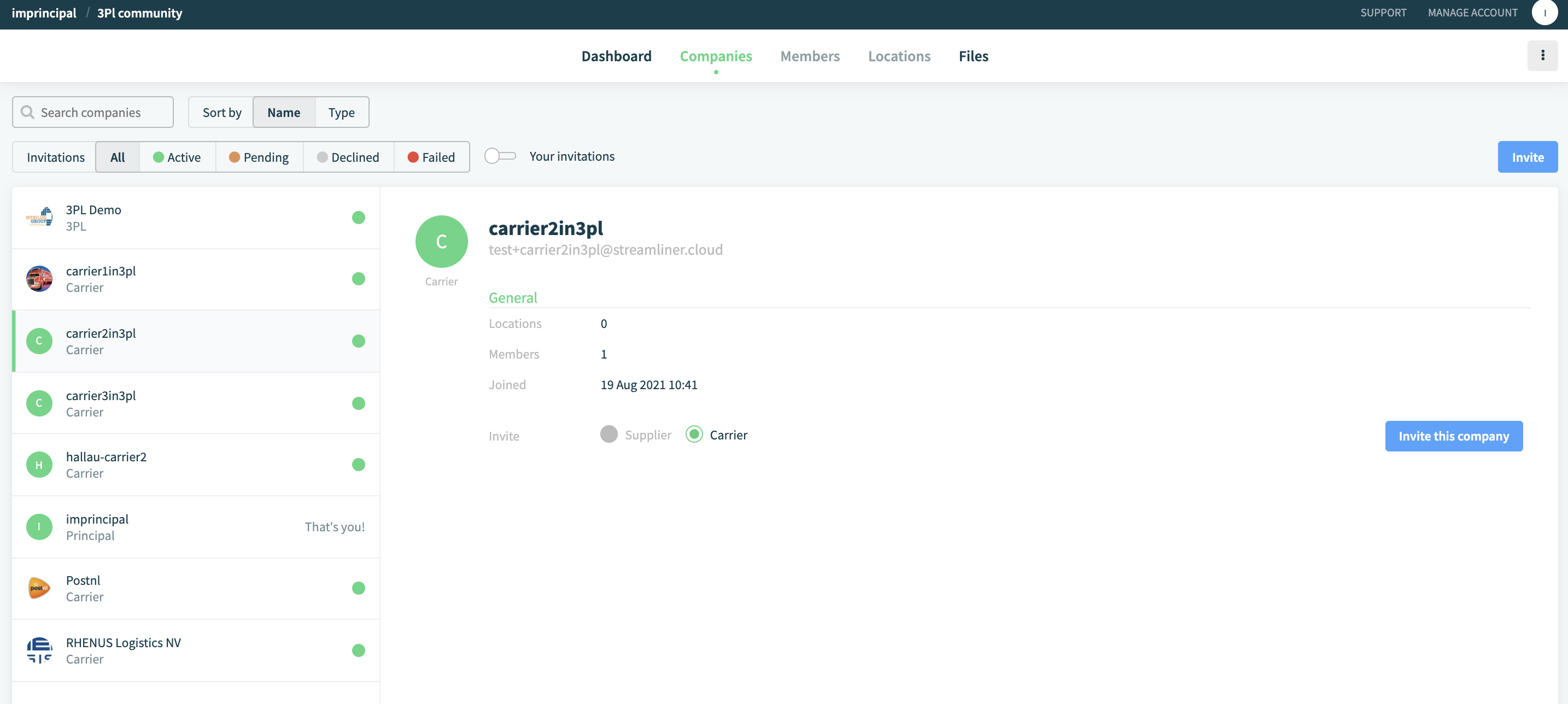
Inviting your carriers is free. This collaboration is free. The subscription is paid by the company that has invited you as a principal. You can invite as many carriers that you want. The N° of companies that can participate in the community is not limited. But restrict this number to a practical list. It’s you that has to support your carriers in the use of the Streamliner platform.
There are 3 possible situations when inviting a company
- Your carrier is already known in the community as a carrier. In that case, the invitation is literally one click away
- Your carrier is already known with his company on the Streamliner platform, but not yet in this community. In that case, it will take 2 clicks for the carrier to accept the invitation.
- Your carrier is not yet known on the Streamliner platform. In that case, the carrier has to register their company, just like you did. Please pass the mini guide ‘Onboard as carrier’ to the representative of the carrier.
2.1. Your carrier is known in the community.
Browse or search the list of companies to see if your carrier is known with the role ‘carrier’. Or click on ‘Invite’, a dialog box will open and you can type in the name of the company you are looking for.

If the company exist, simply select the company and push ‘Invite’. The carrier will receive an email with your invitation. The email address that is used to sent this notification is configured by the carrier himself.
2.2. Your carrier is known on the Streamliner platform.
Click on ‘Invite’, a dialog box will open and you can type in the name or VAT N° of the company you are looking for.
If the company exists, simply select the company and click on Ok.
The representative of this company will receive an email with the question to accept your invitation.
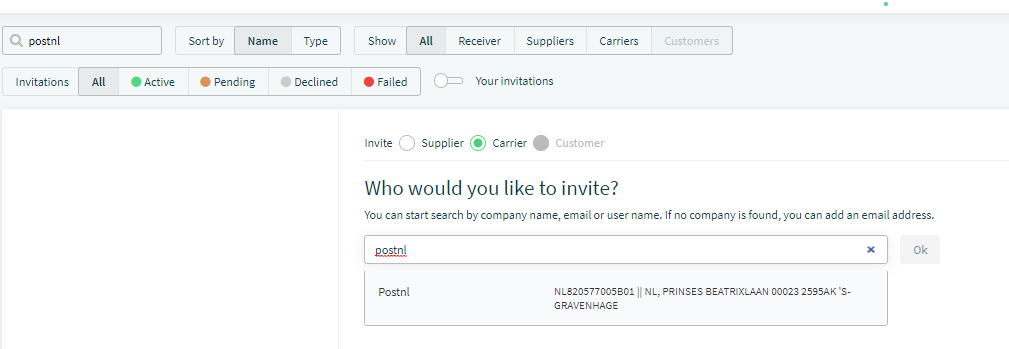
2.3. Your carrier is not known on the streamliner platform.
This will take a couple of minutes work from your carrier. Please pass him the mini guide to onboard and assist him in joining the platform. His subscription is free so there’s no reason why you should hesitate to invite him.
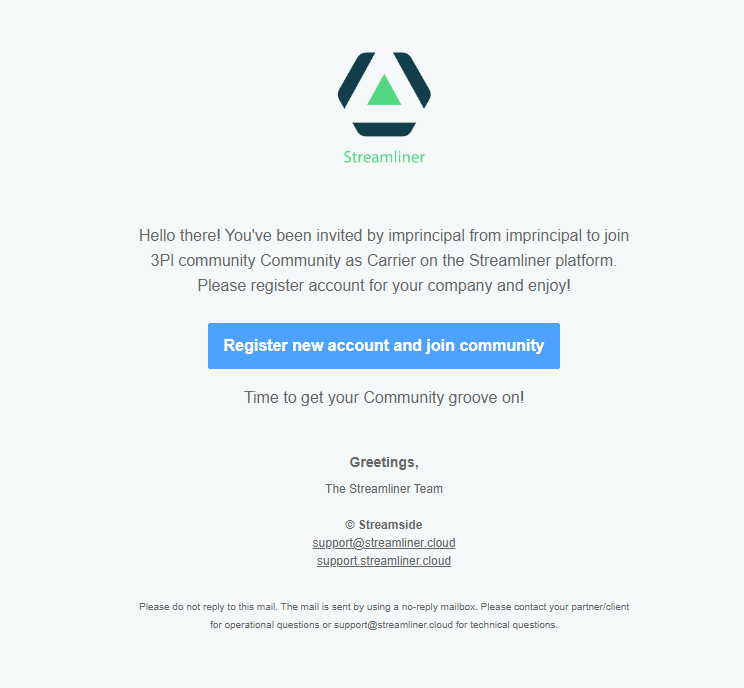
Click on ‘Invite’, a dialog box will open and you can type in the email of the representative of the carriers company.
This person will receive the following mail, similar to the mail that your company received.
2.4. Follow up your invitations
You can follow on company level if your carrier has accepted your invitation yes/no. You can resend the invitation, change the email address or delete the invitation if the carrier is not willing to collaborate.

You will also see on your dashboard that you have pending outgoing invitations
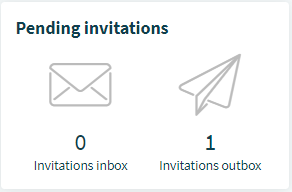
Only carriers that have accepted your invitation to collaborate can be selected for your shipments.
In the following link, we will direct you to the article how to book a slot as a principal to book a shipment in the name of your carrier and how you can follow up his performance. mini guide how to book a slot as principal.
Comments
0 comments
Please sign in to leave a comment.