
How to edit your Profile
You can access your profile by clicking on the circle with your initials in the top right corner of the screen.
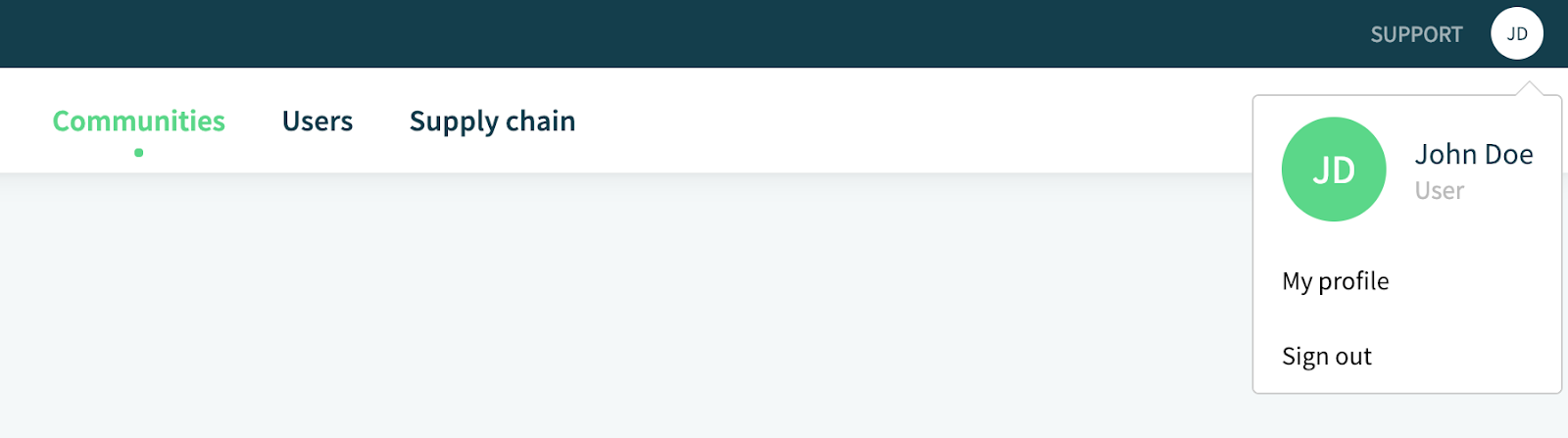
Click on My profile and you'll be taken to an overview of your profile.
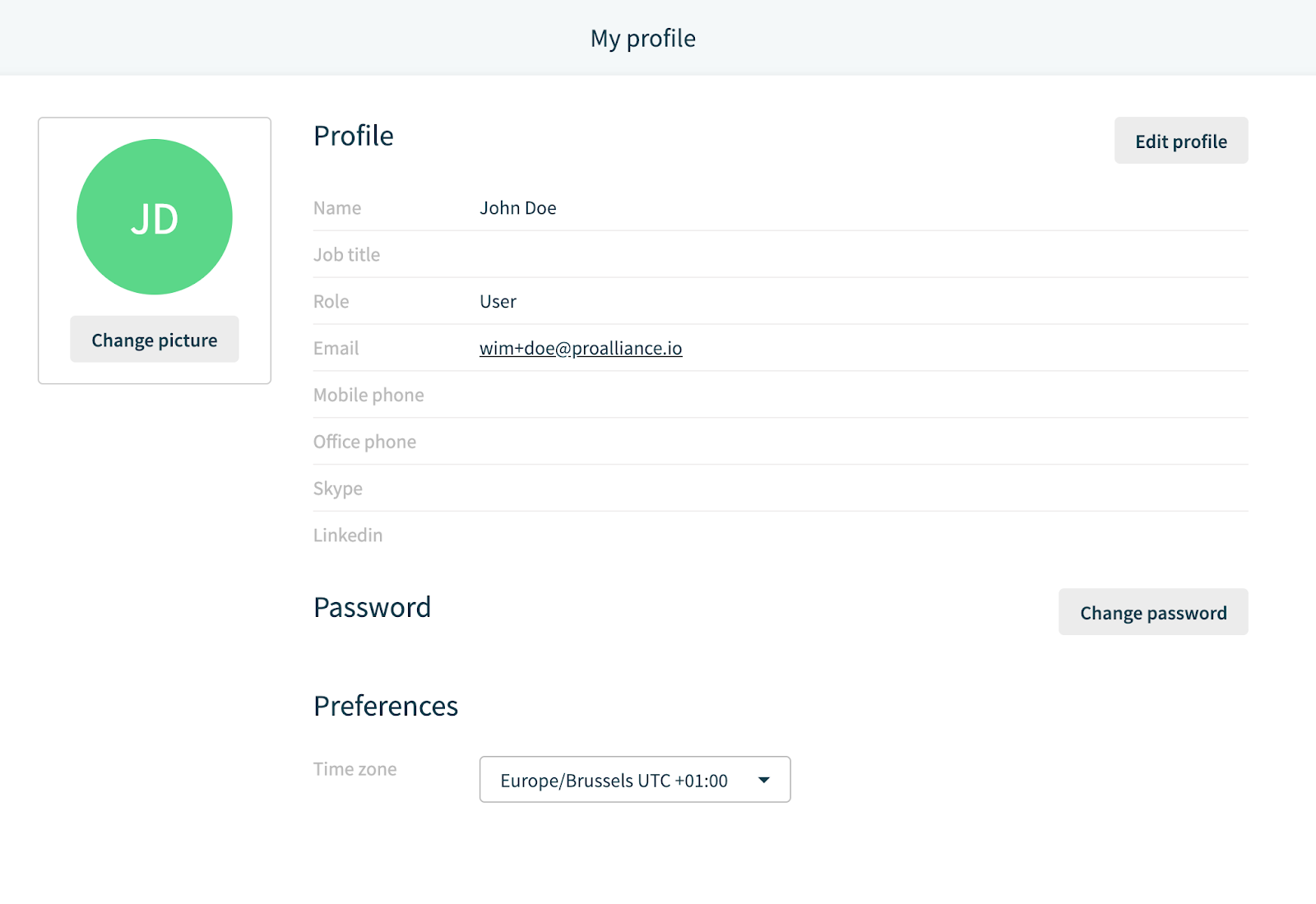
First things first: make sure you're Time zone is the correct one. A faulty Time zone will result in you seeing and entering wrong times.
Furthermore you can change your picture, edit your profile or change your password.
One thing you can't edit is your email. If for some reason your email needs to be changed you'll have to contact an administrator in your company to send you an invite on your new email.
Comments
0 comments
Please sign in to leave a comment.