
Please note: in case you're already an existing user on the Streamliner platform, you do not need to follow the steps described below, as you are already an active member and will be automatically directed to the start page.
Step 1: Accept the invitation email
As a new user for a company not yet registered on Streamliner, you will receive an invitation by email to join the Community. This collaboration is free. The subscription paid by the company that is inviting you.
Please be sure to trust emails that are sent from Streamliner.cloud
If you click on the 'Register new account and Join community' button, you will be able to register your Company and yourself.
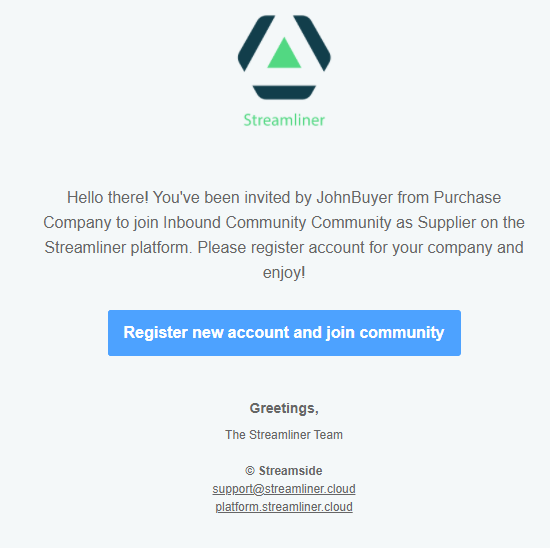
Step 2: Register your company.
You may safely click on the provided hyperlink in the mail:

The link opens a new tab in your default browser to register your company.
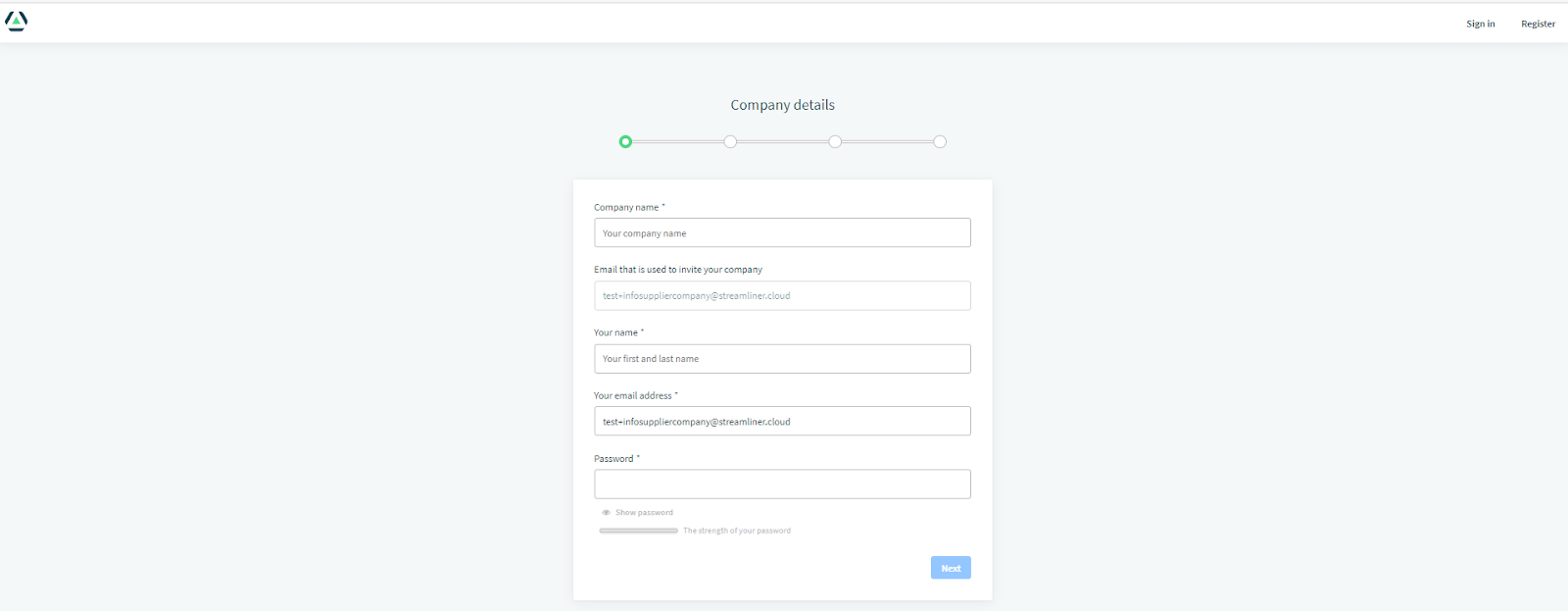
In a couple of steps, you will create the first user with super administration rights and the company. This user will be responsible for the administration tasks. It’s important to note down the mail and the password that you use.
Step 3: Choose your log-in details
The email address is used as a login on the Streamliner platform and is case sensitive. This is the unique identifier for a user, use it well.
Step 4: Validate your company details
Streamliner is a B2B platform. The identity of your company is verified by using the VIES[1] European public service. We do not allow the usage of Streamliner if your company is based inside Europe and does not have a valid VAT N°. This is public available information for all European citizens
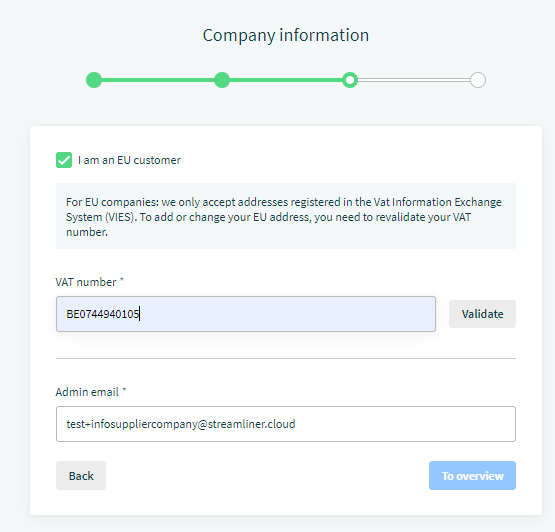
As an example, you see the VAT N° of the company Streamside NV, that owns the Streamliner platform.
You can conclude and start using the platform after validating the VAT N°.
If your company is not a European based company, you can deselect ‘I am an EU customer’ to provide your legal company name and address outside Europe.
If you wish that the administrative information regarding Streamliner is sent to another email than the email that is used to log in, you can provide a second administrative email address.
Step 5: Confirm your details on the overview page
During the last step you can verify the information that you provided and adapt if necessary.
As an individual, you must approve the privacy policy and the cookie policy of Streamliner. Streamliner respects the GDPR privacy regulation, so we like to inform you which personal data is stored and which cookies are used.
Once you approve the two policies, you can register your company. You can consult the Terms & Conditions of Streamliner if you want a paying account.
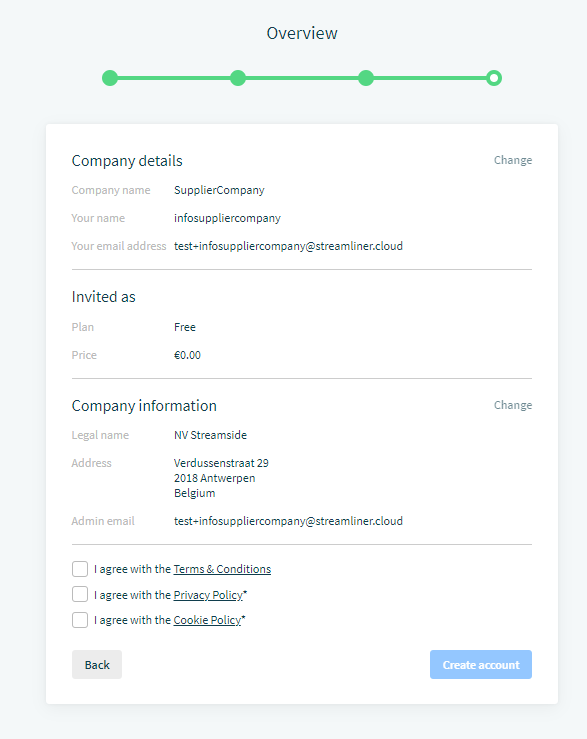
Approve Privacy and Cookie policy after reading it.
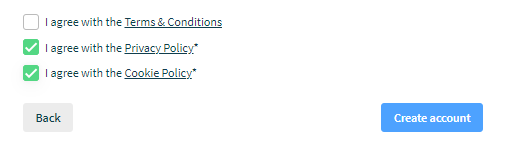
and create your account.
Step 6: Validate your email
An email is sent to your email address to validate your account. This 2-steps validation is needed to be sure that you provided an existing e-mail.
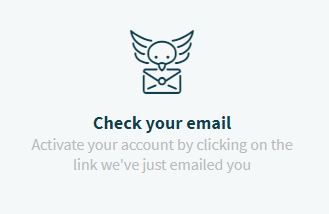
You receive an email from Streamliner to activate your account. Be sure to allow Streamliner.cloud as a valid trusted sender.
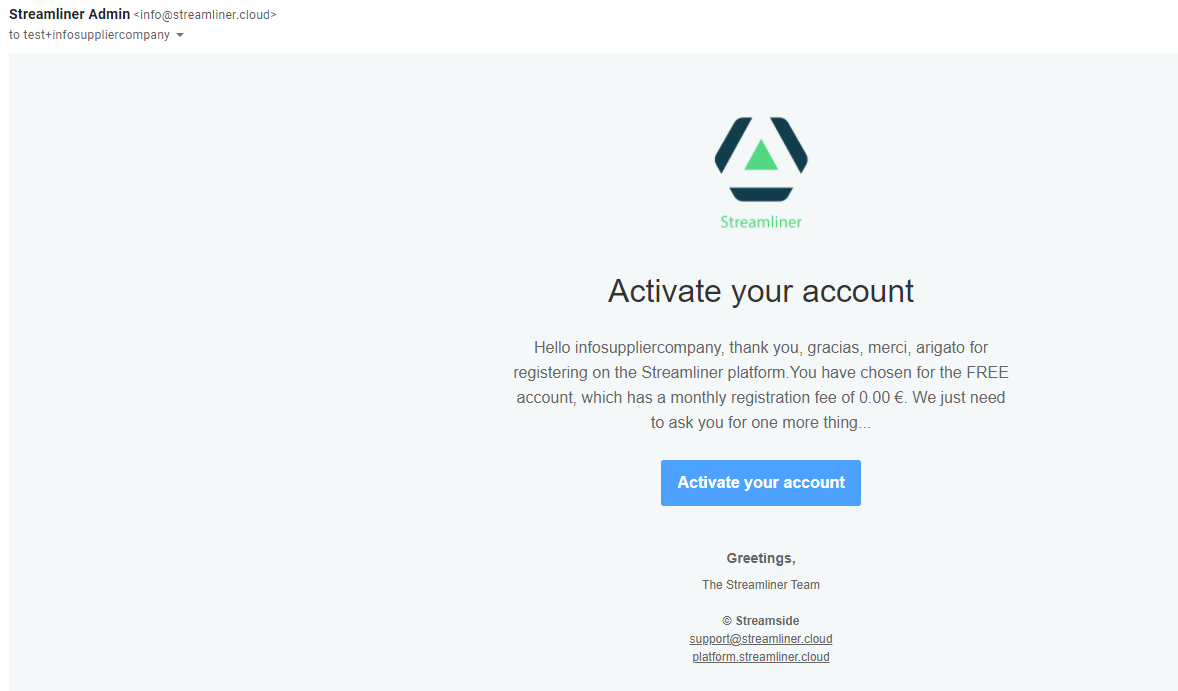
You can savely click on ‘Activate your account’, to complete the registration process. You created now the account for your company and added you as the first user. Congrats.

You can now log in and start using Streamliner to collaborate.
Comments
0 comments
Please sign in to leave a comment.